
How do I edit or delete question text?
You can customize your Qeepsake experience by editing questions in the mobile app or website. However, a question's text can only be edited after the question has been answered. In other words, you'd need to answer the question (you could even just put placeholder text!) and add it to your journal. Then, you can follow these directions:
In the Qeepsake App:
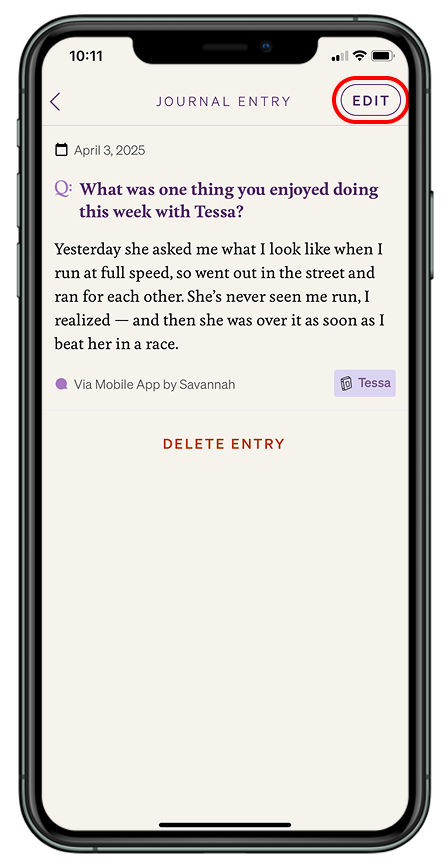
- Choose the entry you want to edit.
- Hit the "Edit" button in the top right corner.
- Click into the question text and edit.
If you want to delete the question text completely, click the "x" button. The question will be deleted, but your entry will remain.
On the website:
- Find the question you want to edit
- Select Edit Entry
- Edit the text of the question
- Hit Save